
APRS-D Configure
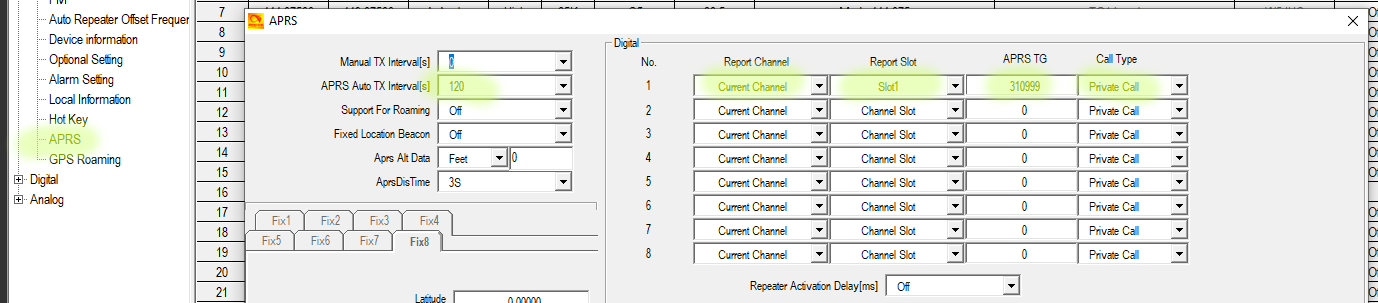
- Open CPS and click APRS
- Set Auto TX Interval
- Set Digital 1 info
- Current Channel
- Slot 1
- TG 310999
- Private Call
- The Picture below is what it should look like.
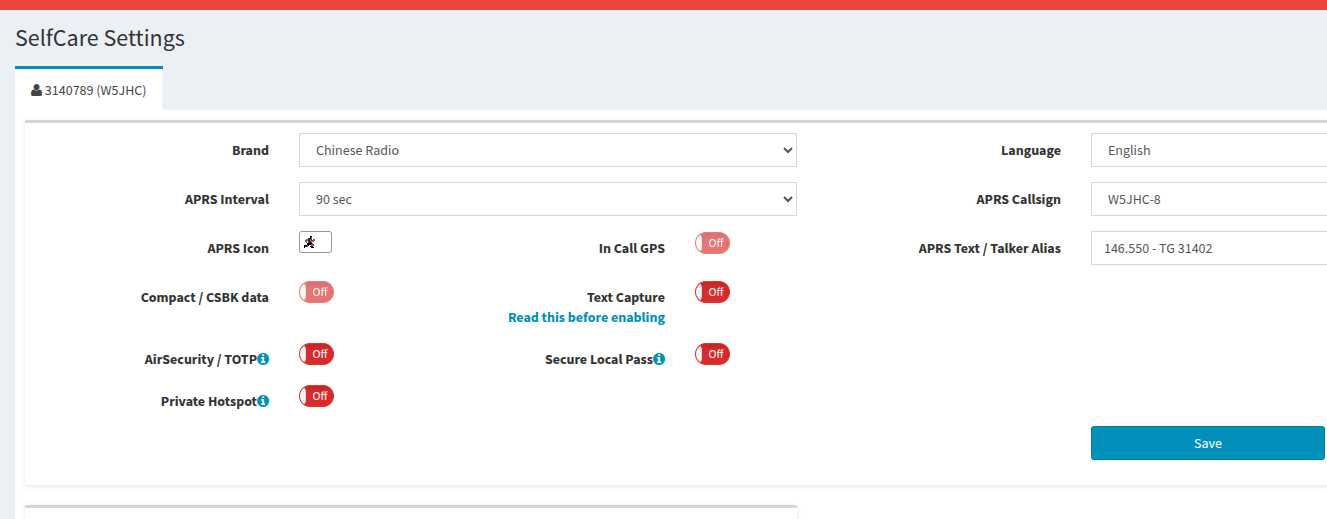
- Login to Brandmeister to set APRS
- Click on self care
- Mimic settings of image below but make sure to set YOUR callsign
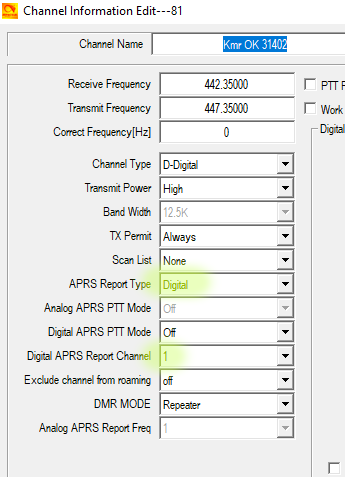
- Edit a channel
- Pick a digital channel to test
- Use the picture to set the highlighted areas
- Send the program to your radio
- Pull up this channel and wait for GPS lock
- Make sure your GPS is enabled too!
Need more help reach out to an Elmer!